Processing Entities
An entity is a soft physical body that "lives" and moves around the world. In addition to the physical part, entities (or mobs) have a visual part, it does not determine the physical shape, but only allows you to display the entity in the game. Often you can interact with an entity, for example, to obtain resources or exchange some for others. Let's get acquainted with the possibilities of processing them.
The difference in approaches
When we talk about an entity, it is important to understand who is actually responsible for its movement, shape, and other properties. We have previously touched upon the topic of client and server, the basic principles will not change and will remain throughout the documentation and stages of our modding. Following these principles — the server is responsible for processing the location of the entity in the world and its physical shape, while the client only renders the model of your entity.
The engine provides methods both for processing the visual part of entities and for fine-tuning their behavior. Each of the properties described today will be server-side, meaning they will make practically no sense to the client. Create projects based on entity mechanics, because there are so few of them!
Location and rotation
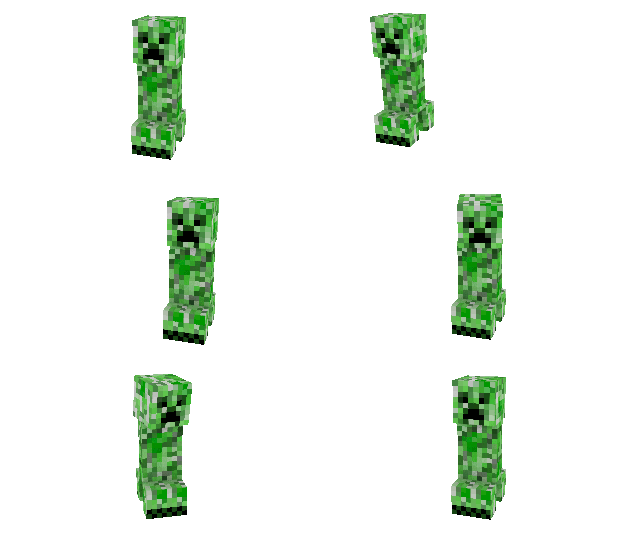
The key definition of an entity in the world is its coordinates, as well as the visual direction of its gaze. AI allows you to control these properties, and the developer can change them at will at any moment of the existence of the dimension and the entity as a whole.
Let's start by changing the location, a function with the corresponding name is used for this:
Entity.setPosition(entityUid, x, y, z);
If everything is clear with coordinates (and if not, check out the coordinate system), then what is this unique identifier of yours? In fact, this is a memory cell of a native object, or to put it simply, the identification number of your entity. It only exists as long as the dimension is loaded, as well as the chunk in which the entity is located.
To get the identifiers of the mobs surrounding you, there are several ways, one of which is getting a list of entities between two points. But what if, for example, we need to process every entity that appears in the clients' field of view? There are several useful events for this, like EntityAdded and EntityDeath:
Callback.addCallback("EntityAdded", function(entityUid) {
    if (Entity.getDimension(entityUid) == EDimension.NORMAL) {
        const position = Entity.getPosition(entityUid);
        const surface = GenerationUtils.findSurface(position.x, 32, position.z);
        if (surface.y > 0) {
            Entity.setPosition(entityUid, surface.x, surface.y + 2, surface.z);
        }
    }
});
In this case, an entity that appears anywhere in the normal world (including the player) will move to the cave beneath it (or, if there is none, stay at the same point) at a height of up to 32 blocks. Use this same callback to modify any other entity properties, like adding effects. As for changing coordinates, I've often seen this method used in events for moving entities between worlds.
Moving on. The rotation of an entity displays the direction of its movement, which is not so relevant for entities with AI (since the AI will immediately turn the head back), but it is very effective for thrown items and arrows:
Entity.setLookAngle(entityUid, yaw, pitch);
The rotation around the yaw axis (comparable to the x axis) and the pitch axis (comparable to the y axis) are specified in radians, where Math.PI means a 180-degree turn, Math.PI * 2 — a full turn around its axis (360, of course) and so on. The rotation angle has no limits and can take any values, not limited only to a full turn around its axis.
Why not move on to something more interesting, say, implementing a dispenser? For this, you can place an arrow pointing in the direction of clicking on the block (why do we need a predefined rotation if the player can determine it themselves):
Callback.addCallback("ItemUse", function(coords, item, block, isRemote, playerUid) {
    const region = BlockSource.getDefaultForActor(playerUid);
    if (region) {
        const entityUid = region.spawnEntity(coords.x, coords.y, coords.z, EEntityType.ARROW);
        const nbt = Entity.getCompoundTag(entityUid);
        if (nbt) {
            nbt.putInt64("OwnerNew", playerUid);
        }
        const rotation = Entity.getLookAt(entityUid, coords.relative.x, coords.relative.y, coords.relative.z);
        Entity.setLookAngle(entityUid, rotation.yaw, rotation.pitch);
    }
});
Using relative coordinates (the adjacent block to the side we clicked on) we will get the rotation angles that the arrow must be rotated to reach the target. Considering that we are the ones launching the arrow, it would be a good idea to also change the game data, specifying the player as the damage source of this projectile. The arrow by default has no velocity, so it will simply "fall out" relative to the clicked block. Check out World.getRelativeCoords to get relative coordinates.
In addition to simply setting the viewing angle, the engine provides functionality for the most commonly used formulas. These include methods that simplify the previous implementation of firing an arrow:
Callback.addCallback("ItemUse", function(coords, item, block, isRemote, playerUid) {
    const region = BlockSource.getDefaultForActor(playerUid);
    if (region) {
        const entityUid = region.spawnEntity(coords.x, coords.y, coords.z, EEntityType.ARROW);
        const nbt = Entity.getCompoundTag(entityUid);
        if (nbt) {
            nbt.putInt64("OwnerNew", playerUid);
        }
        Entity.lookAtCoords(entityUid, coords.relative);
    }
})
Which is equivalent to the previous implementation, simply the final code becomes shorter. Well I don't even know, we can move the entity to the point the player is looking at after a hit:
Callback.addCallback("EntityHurt", function(attackerUid, entityUid, damageValue, damageType) {
    if (Entity.getType(attackerUid) == EEntityType.PLAYER) {
        const rotation = Entity.getLookAngle(entityUid);
        const vector = Entity.getLookVectorByAngle(rotation);
        Entity.addPosition(entityUid, vector.x, vector.y, vector.z);
    }
});
The vector here represents the deviations along each of the coordinates, moving the entity literally a block further in the direction of its gaze (so monsters will get closer to the player, directing their gaze at them, and passive mobs on the contrary will move away, looking in a random direction). Experiment with this implementation, the add coordinates method sums the past coordinates with the vector.
Head rotation (because the rotation of the rest of the body is carried out with a slight delay from the head) is determined even if the entity does not have such a body part. This can be verified using resource packs, or by enabling the debugging of AI movements in the hidden game settings.
Velocity
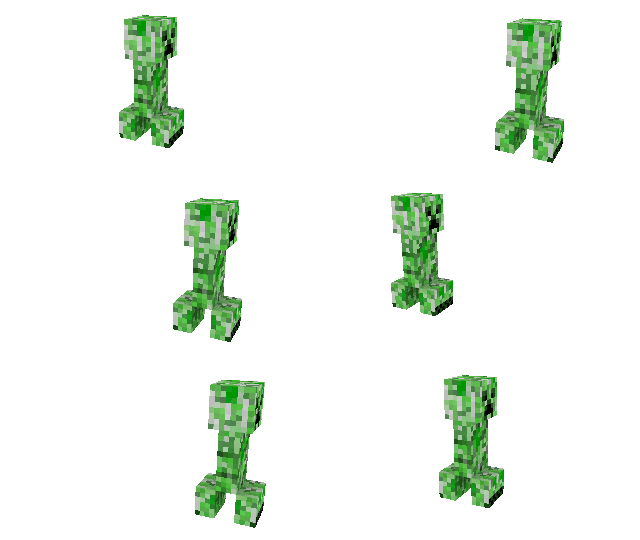
The main part of any physical world (of course, we have physics in the game) is precisely velocity; using it, mobs move with a given vector in any direction of the world. Any movements of entities are based on this, starting from player movement, arrows, and ending with AI.
Entity.setVelocity(entityUid, x, y, z);
By using and working with vectors, this method will help achieve interesting results. And you don't need much; a little physics and math, or using ready-made formulas and code! Everyone chooses their own path, and you can start with a few simple examples. Say, why not accelerate dropped items in height?
Callback.addCallback("EntityAdded", function(entityUid) {
    if (Entity.getType(entityUid) == EEntityType.ITEM) {
        const velocity = Entity.getVelocity(entityUid);
        Entity.setVelocity(entityUid, velocity.x, velocity.y + Math.random() * 0.4 - 0.2, velocity.z);
    }
});
Having accelerated slightly, the drop (thrown items) will head down after a short period of time. Let's shorten this same code to a couple of lines, just like we did earlier with position:
Callback.addCallback("EntityAdded", function(entityUid) {
    if (Entity.getType(entityUid) == EEntityType.ITEM) {
        Entity.addVelocity(entityUid, 0, Math.random() * 0.4 - 0.2, 0);
    }
});
In the days of ModPE, we had a tradition of documenting arrow launches, a substantially similar code was promoted by many tutorials and groups. Let's do the same — let the arrow fly in the direction of the player's gaze:
const VANILLA_ARROW_SPEED = 0.25;

Callback.addCallback("ItemUseNoTarget", function(item, playerUid) {
    if (item.id == VanillaItemID.arrow) {
        const vector = Entity.getLookVector(playerUid);
        const position = Entity.getPosition(playerUid);
        const entityUid = region.spawnEntity(
            position.x + vector.x * 0.12,
            position.y + vector.y * 0.12,
            position.z + vector.z * 0.12,
            EEntityType.ARROW
        );
        Entity.setVelocity(
            entityUid,
            vector.x * VANILLA_ARROW_SPEED,
            vector.y * VANILLA_ARROW_SPEED + 0.05,
            vector.z * VANILLA_ARROW_SPEED
        );
    }
});
By spawning an arrow next to the player's hitbox (if we spawn the arrow inside the player, it's obvious it will just hit them), we accelerate the arrow by a small force and upwards. It may not be practical to launch arrows by the player's hand (they fly slowly and not far), but you get the point. Increase the velocity, changing its height and modifying the speed — and manual arrows will not differ from a bow.
There are also objects without physics. Have you ever noticed a change in the velocity of a fireball shot by a ghast? And yet it is also an entity, but it moves linearly and without resistance:
Callback.addCallback("ItemUseNoTarget", function(item, playerUid) {
    if (item.id == VanillaItemID.fireball) {
        const position = Entity.getPosition(playerUid);
        Entity.moveToAngle(
            region.spawnEntity(
                position.x, position.y, position.z,
                EEntityType.FIREBALL
            ),
            Entity.getLookAngle(playerUid),
            { speed: 0.09 }
        );
    }
});
Now fireballs can be launched not only by a dispenser or a ghast, but also by us. Using the Entity.moveToAngle method allows you to simplify the code with launching the arrow above, activating the velocity even faster. Additional examples of using the velocity mechanic can be found in the Portal Gun mod, it is an excellent way to travel around the world. There are no complex formulas in it, which actually only helps to better understand how everything works.
Inventory
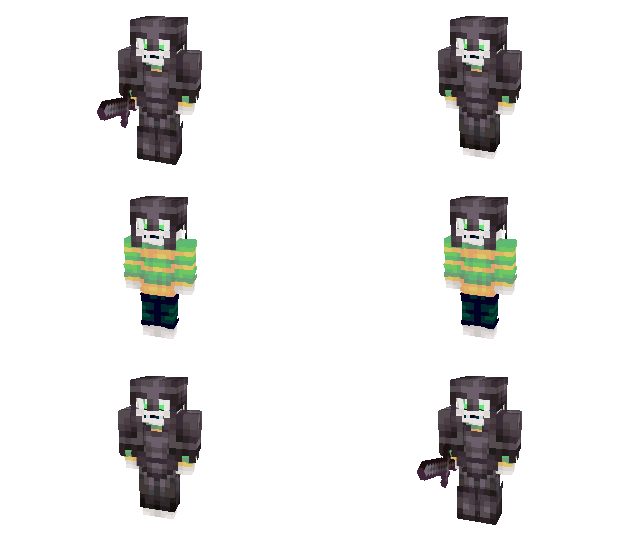
Placing items in the inventory of entities allows entities to interact (or attack, who knows) with you, or players with each other. In addition to the inventory itself, there are slots for the main hand, offhand, arrangement of four armor elements and a whole bunch of other special-purpose slots. While part of the slots are edited directly from the engine, for the rest it is necessary to use serialization and data modification. Let's consider the basic principles of working with the inventory.
Entity.setCarriedItem(entityUid, itemId, itemCount, itemData, itemExtra?);
Changes the entity's item in the main hand to the specified quantity, damage values applied (or variation if the item cannot be damaged) and additional data. This method is necessary, first of all, for entities that do not have an inventory and generally an item in hand at the moment, since any existing item will be replaced.
As an example, let's also consider the method of getting an item in order to drop an already existing one if there is one. Let's take a husk, and upon interacting with it, put the item from the player's hand into its hand:
Callback.addCallback("EntityInteract", function(targetUid, entityUid, coords) {
    if (Entity.getType(targetUid) != EEntityType.HUSK) {
        return;
    }
    const targetItem = Entity.getCarriedItem(targetUid);
    const entityItem = Entity.getCarriedItem(entityUid);
    if (targetItem.id == 0 && entityItem.id == 0) {
        return;
    }
    if (targetItem.id != 0) {
        const region = BlockSource.getDefaultForActor(targetUid);
        region.spawnDroppedItem(coords.x, coords.y, coords.z, targetItem.id, targetItem.count, targetItem.data, targetItem.extra);
    }
    Entity.setCarriedItem(targetUid, entityItem.id, entityItem.count, entityItem.data, entityItem.extra);
});
Getting an item always returns a result, even if there is no item itself in the hand. The algorithm is quite simple — we only need husks, so otherwise the event will not be executed; the item in hand must be checked for both the player (entityUid) and the entity being interacted with (targetUid), in order to drop the entity's item if the player is not holding anything. There is no item, so there will be nothing in hand either, the default values can be represented as a function Entity.setCarriedItem(targetUid, 0, 0, 0, null).
Besides the main hand, there is usually a second one... Let's say its purpose is highly specialized; perhaps the best use for entities in regular gameplay is the totem of undying. It will fully restore the entity's health if it takes enough damage. Let's slightly change the event we just looked at, only with a new function:
const INTERACTABLE_ENTITIES = [
    EEntityType.ZOMBIE, EEntityType.SKELETON, EEntityType.PIG_ZOMBIE,
    EEntityType.ENDERMAN, EEntityType.ZOMBIE_VILLAGER, EEntityType.STRAY,
    EEntityType.HUSK, EEntityType.WHITHER_SKELETON, EEntityType.VINDICATOR,
    EEntityType.EVOCATION_ILLAGER, EEntityType.DROWNED, EEntityType.ZOMBIE_VILLAGE_V2
];

Callback.addCallback("EntityInteract", function(targetUid, entityUid, coords) {
    if (INTERACTABLE_ENTITIES.indexOf(Entity.getType(targetUid)) == -1) {
        return;
    }
    const targetItem = Entity.getOffhandItem(targetUid);
    if (targetItem.id != 0) {
        return;
    }
    const entityItem = Entity.getCarriedItem(entityUid);
    if (entityItem.id != VanillaItemID.totem) {
        return;
    }
    Entity.setOffhandItem(targetUid, entityItem.id, entityItem.count, entityItem.data, entityItem.extra);
});
Now, any monster with a displayed second hand (most mobs have a slot, but it is not displayed visually), can be given a totem in their second hand. Of course, if there isn't an item already and the player has the required totem. Only the method name changed, but the arguments remained identical. This also applies to Entity.get/setDroppedItem, which allows you to change dropped items, and possibly other functions in the future.
Entity.setArmorSlot(entityUid, slotId, itemId, itemCount, itemData, itemExtra?);
The principles of changing armor are similar, but a numerical identifier of the changed slot appears. There are four options — head (helmet, EArmorType.HELMET), chest (chestplate, EArmorType.CHESTPLATE), legs (leggings, EArmorType.LEGGINGS), and feet (boots, EArmorType.BOOTS). Otherwise everything remains identical, you just need to specify the slot to modify and get cells, which we already did when creating new armor.
Player Actor
The main differences of the player from other entities are hunger, saturation and absorption levels, experience, and the ability to use items and interact with mobs. Of course, the player is the center of the whole world, and they have plenty of possibilities, but how to manage all this? And we also need to synchronize data between the server and players. Remember the block source? Let's look at the player actor, also to complement the inventory interaction methods we just reviewed.
new PlayerActor(playerUid);
For example, upon reaching level 50, items dropped near the nearest player will immediately go into their inventory. Let me remind you that the player's inventory consists of 9 main hotbar cells and 27 additional ones. And no, we don't need a vacuum cleaner collecting items dropped who knows when around, let's limit ourselves to the entity spawn event:
function fetchNearestEntityInBox(entityUid, dx, dy, dz, entityType, blacklist) {
    const region = BlockSource.getDefaultForActor(entityUid);
    if (region) {
        let targetUid = 0, distanceBetween = Number.MAX_VALUE, buffer;
        const position = Entity.getPosition(entityUid);
        for (let fetchedUid in region.fetchEntitiesInAABB(
            position.x - dx, position.y - dy, position.z - dz,
            position.x + dx, position.y + dy, position.z + dz,
            entityType || 256, blacklist || false
        )) {
            if ((buffer = Entity.getDistanceToCoords(fetchedUid, position)) < distanceBetween) {
                targetUid = fetchedUid;
                distanceBetween = buffer;
            }
        }
        return targetUid;
    }
    return 0;
}

Callback.addCallback("EntityAdded", function(entityUid) {
    if (Entity.getType(entityUid) != EEntityType.ITEM) {
        return;
    }
    const playerUid = fetchNearestEntityInBox(entityUid, 6, 2, 6, EEntityType.PLAYER);
    if (playerUid != 0) {
        const actor = new PlayerActor(playerUid);
        if (actor.getLevel() >= 50) {
            const drop = Entity.getDroppedItem(entityUid);
            actor.addItemToInventory(drop.id, drop.count, drop.data, drop.extra, false);
            Entity.remove(entityUid);
        }
    }
});
If the nearest player is level 50 or higher, the drop will be squeezed into the player's inventory. Squeezed in, because the last argument of the addItemToInventory method means whether to throw out extra items if there is no space. So we have a chance to simply lose the drop if there is no more space left. Let's solve this problem — let's add a method to iterate through the inventory to find out how much available space we have left for the item:
function getPickableItemStackInInventory(playerActor, itemId, itemData) {
    const stackSize = Item.getMaxStack(itemId, itemData);
    for (let slot, available = 0, slotId = 0; slotId < 36; slotId++) {
        slot = playerActor.getInventorySlot(slotId);
        if (slot.id == 0 || (slot.id == itemId && (itemData == -1 || slot.data == itemData))) {
            if (slot.count >= stackSize) {
                continue;
            }
            available += stackSize - slot.count;
            if (available >= stackSize) {
                break;
            }
        }
    }
    return Math.min(available, stackSize);
}
If the slot is empty, we can automatically count a whole stack of space and return the result. If we found a stack of an already collected item of this type, we subtract its quantity from the whole stack and add it to the amount of available space. As soon as there is at least a stack of free space, we can return the result in the form of the minimum possible complete stack.
What if...
How to determine the available amount of items in the inventory in general?
-function getPickableItemStackInInventory(playerActor, itemId, itemData) {
+function getPickableItemCountInInventory(playerActor, itemId, itemData) {
     const stackSize = Item.getMaxStack(itemId, itemData);
     for (let slot, available = 0, slotId = 0; slotId < 36; slotId++) {
         slot = playerActor.getInventorySlot(slotId);
         if (slot.id == 0 || (slot.id == itemId && (itemData == -1 || slot.data == itemData))) {
             if (slot.count >= stackSize) {
                 continue;
             }
             available += stackSize - slot.count;
-            if (available >= stackSize) {
-                break;
-            }
         }
     }
-    return Math.min(available, stackSize);
+    return available;
 }
How to determine the amount of items in the inventory, not the free space?
-function getPickableItemCountInInventory(playerActor, itemId, itemData) {
+function getItemCountInInventory(playerActor, itemId, itemData) {
-    const stackSize = Item.getMaxStack(itemId, itemData);
     for (let slot, available = 0, slotId = 0; slotId < 36; slotId++) {
         slot = playerActor.getInventorySlot(slotId);
-        if (slot.id == 0 || (slot.id == itemId && (itemData == -1 || slot.data == itemData))) {
+        if (slot.id == itemId && (itemData == -1 || slot.data == itemData)) {
-            if (slot.count >= stackSize) {
-                continue;
-            }
-            available += stackSize - slot.count;
+            available += slot.count;
         }
     }
    return available;
 }
How to know if there is an item in the inventory?
-function getItemCountInInventory(playerActor, itemId, itemData) {
+function hasItemInInventory(playerActor, itemId, itemData) {
-    for (let slot, available = 0, slotId = 0; slotId < 36; slotId++) {
+    for (let slot, slotId = 0; slotId < 36; slotId++) {
         slot = playerActor.getInventorySlot(slotId);
         if (slot.id == itemId && (itemData == -1 || slot.data == itemData)) {
-            available += slot.count;
+            return true;
         }
     }
-    return available;
+    return false;
 }
Let's complement the existing event, taking the maximum possible number of items:
Callback.addCallback("EntityAdded", function(entityUid) {
    if (Entity.getType(entityUid) != EEntityType.ITEM) {
        return;
    }
    const playerUid = fetchNearestEntityInBox(entityUid, 6, 2, 6, EEntityType.PLAYER);
    if (playerUid != 0) {
        const actor = new PlayerActor(playerUid);
        if (actor.getLevel() >= 50) {
            const drop = Entity.getDroppedItem(entityUid);
            const pickableCount = getPickableItemStackInInventory(actor, drop.id, drop.data);
            if (pickableCount > 0) {
                actor.addItemToInventory(drop.id, pickableCount, drop.data, drop.extra);
                drop.count -= pickableCount;
                if (drop.count <= 0) {
                    Entity.remove(entityUid);
                } else {
                    Entity.setDroppedItem(entityUid, drop.id, drop.count, drop.data, drop.extra);
                }
            }
        }
    }
});
Extra items will remain in place, the picked up stack will be removed, and items from the inventory will not disappear anywhere. The goal has been achieved. And finally, let's take the item from the player's inventory after interacting with another entity. We'll supplement the previous events in inventory processing. Since the entire item is taken in general in each of the previous cases, simply clear the selected inventory slot:
Callback.addCallback("EntityInteract", function(targetUid, entityUid, coords) {
    // ...
    const actor = new PlayerActor(entityUid);
    actor.setInventorySlot(actor.getSelectedSlot(), 0, 0, 0, null);
});
Keep in mind that any player actor is valid for only 1 tick. You performed an action, got the data and reuse becomes impossible. And some actions, like changing an inventory slot, require specifying the full number of arguments, not excluding, for example, additional data.
Health and ways to lose it
First of all — improper diet, lack of physical activity, stress... None of these factors apply to ways to lose health in the game; the player doesn't care about temperature or the amount of items in their inventory. But then where do more than 25 ways to lose health come from? Let's look at the ability to control this essential feature.
First of all, the amount of health is determined by the number of hearts (where 1 heart = 2 health points), the same applies to the player's hunger. Think of health in half hearts right away, it will be much more convenient:
Entity.setHealth(entityUid, halfHearts);
Directly changes the amount of health of an entity, it can be any natural number from 0 to 1024, but not higher than the maximum value. Use this method to restore health, set its initial value (when spawning a mob), but not for dealing damage. As an example, let's create a regenerating wand that heals the player (and mobs around them) in whose hand it is:
const WAND_TICKS = {};

Callback.addCallback("ServerPlayerTick", function(playerUid, isDead) {
    if (!isDead) {
        const actor = new PlayerActor(playerUid);
        if (actor.isValid()) {
            if (actor.getInventorySlot(actor.getSelectedSlot()).id == VanillaItemID.netherite_axe) {
                WAND_TICKS[playerUid] |= 0;
                if (++WAND_TICKS[playerUid] >= 120) {
                    useWandOnNearestEntities(playerUid);
                    WAND_TICKS[playerUid] = 0;
                }
                return;
            }
        }
    }
    if (WAND_TICKS.hasOwnProperty(playerUid)) {
        delete WAND_TICKS[playerUid];
    }
});

function useWandOnNearestEntities(entityUid) {
    const region = BlockSource.getDefaultForActor(entityUid);
    if (region) {
        const position = Entity.getPosition(entityUid);
        for (let targetUid in region.fetchEntitiesInAABB(
            position.x - 8, position.y - 8, position.z - 8,
            position.x + 8, position.y + 8, position.z + 8
        )) {
            if (Entity.getDistanceToCoords(targetUid, position) < 8) {
                Entity.setHealth(targetUid, Math.min(Entity.getMaxHealth(targetUid), Entity.getHealth(targetUid) + 2));
            }
        }
        if (Game.getMinecraftVersion() == "1.11.4" && Entity.getType(entityUid) == Native.EntityType.PLAYER) {
            Entity.setHealth(entityUid, Math.min(Entity.getMaxHealth(entityUid), Entity.getHealth(entityUid) + 2));
        }
    }
}

Callback.addCallback("ServerPlayerLeft", function(playerUid) {
    if (WAND_TICKS.hasOwnProperty(playerUid)) {
        delete WAND_TICKS[playerUid];
    }
});

Callback.addCallback("ServerLevelLeft", function() {
    for (let entityUid in WAND_TICKS) {
        delete WAND_TICKS[entityUid];
    }
})
Using the server tick for each player, we check if they have a netherite axe in their hand. If so, we increase the counter for this player (or create it if it doesn't exist) up to 120 ticks (about 6 seconds). As soon as the player changes the item, leaves the world, or the server closes, the counter resets. When the counter reaches 120 ticks, it resets, and mobs around them restore one heart of health. Prior to version 2.2.1b100, the BlockSource.fetchEntitiesInAABB method did not include players by default, so we added an extra check for the older game version.
The construction Entity.setHealth(entityUid, Math.min(Entity.getMaxHealth(entityUid), Entity.getHealth(entityUid) + 2)) can be simplified to Entity.healEntity(entityUid, 2), do it yourself in the useWandOnNearestEntities function if necessary. The method will be identical, the result will not change.
We can simplify the useWandOnNearestEntities function to reduce the code for finding mobs around the player to this:
const position = Entity.getPosition(entityUid);
for (let targetUid in Entity.getAllInRange(position, 8)) {
    Entity.healEntity(targetUid, 2);
}
And it might seem: the code became shorter and easier to understand, we no longer need a region to search for mobs, and everything should work faster. First of all, remember the remarks to the built-in methods of the Entity, World modules, and so on. A considerable part of the old methods do NOT support multiplayer, and in our case, the method will look for entities closest to these coordinates in ALL loaded dimensions. And if there are also a large number of loaded mobs, the method will have to check the distance for EACH of them.
There are no fewer disadvantages than advantages, but they overshadow most of them. Check the methods in the documentation, use declarations, and do not forget that even a small optimization of our work can noticeably reduce the load on the devices of target users and ourselves.
We can use the same method to reduce the entity's health (take damage), but then several additional difficulties arise. First of all, we cannot specify the source of the damage. This means that if the entity dies (and especially if it is a player), the cause of its death will not be determined, which entails incorrect operation of death notifications, experience gain, and so on. Secondly, players will not have heart loss animations or the damage sounds themselves, which is at least strange when losing health.
Entity.damageEntity(entityUid, halfHearts, damageSource?, properties?);
The first arguments are identical, but a few additional ones are added: the cause or source of the damage itself and several configurable parameters. Let's change the previously created function, changing only the method itself for using the wand:
function useWandOnNearestEntities(entityUid) {
    const region = BlockSource.getDefaultForActor(entityUid);
    if (region) {
        const position = Entity.getPosition(entityUid);
        for (let targetUid in region.fetchEntitiesInAABB(
            position.x - 8, position.y - 8, position.z - 8,
            position.x + 8, position.y + 8, position.z + 8
        )) {
            if (targetUid != entityUid && Entity.getDistanceToCoords(targetUid, position) < 8) {
                Entity.damageEntity(targetUid, 2, Entity.DamageSources.MAGIC, {
                    attacker: entityUid,
                    bool1: true
                });
            }
        }
    }
}
Excluding the player themself who is holding the netherite axe, we also check the distance to the entity we want to damage. Entities around will learn that the magic damage (basically, this only determines the chat message for tamed entities and players) comes from you and will become aggressive, their armor will be able to absorb some of the damage if possible. More details on available arguments and damage types can be found in the documentation summary, but right now why not just replace changing health with hunger and only for players.
Other properties
All previously described methods are called on the server side, this is quite important, because client events and the client itself cannot process entities, changing their properties for all players without interacting with the server. What can be attributed to the additional settings of an entity? In general, this is individual for each of them separately. But there is also a whole summary of common properties, attributes, inventory, and a list of states.
Start by looking for a suitable method in the documentation summary. They will serve primarily to change the state here and now, if your mind lacks something else — we always have access to game data. Just get the NBT (Named Binary Tag) of the required entity using:
Entity.getCompoundTag(entityUid);
Description of some available properties.
Let's take a few random properties of a bee; they are in no way related to each other, except that each property is tied to a tag containing them all:
{
    "Age": -23479, // countdown (positive direction) before the entity becomes an adult
    "Air": 300, // countdown in ticks before the entity suffocates (air meter)
    "Armor": [ // list of four tags with armor items; yes, armor is not rendered on a bee
        {
            "Count": 0, // quantity, usually armor comes singly
            "Damage": 0, // spent durability
            "Name": "", // named identifier
            "WasPickedUp": 0 // whether the entity picked up the item (limits despawning) during its lifetime
        },
        // ... 3 more identical empty slots, generally, armor can be put on any mob
    ],
    "Attributes": [ // list of applied attributes setting numerical values in a certain range
        // ...
        {
            "Base": 10, // standard value unmodified by other factors
            "Current": 4, // current attribute value, the entity lost 6 health points
            "DefaultMax": 10, // standard maximum value unmodified by other factors
            "DefaultMin": 0, // standard minimum value unmodified by other factors
            "Max": 10, // maximum specifically for this entity, bonuses possible during spawn
            "Min": 0, // minimum specifically for this entity, bonuses possible during spawn
            "Name": "minecraft:health" // identifier of one of the built-in attributes
        }
    ],
    "BodyRot": -37.54388427734375, // body rotation angle, offset value from normal rotation and only on one offset axis
    "FallDistance": 0.011873078532516956, // vertical distance between entity and ground
    "Fire": 0, // countdown before the entity stops burning
    "Invulnerable": 0, // entity is immune to most types of damage, excluding those set by resource packs and kill commands
    "IsBaby": 1, // entity has a countdown to adulthood
    "LeasherID": -1, // entity that leashed the bee (changing the property will not create a new leash)
    "LootDropped": 0, // resources after death were dropped, or not
    "Mainhand": [ // item in main hand, properties are no different from armor
        {
            "Count": 0,
            "Damage": 0,
            "Name": "",
            "WasPickedUp": 0
        }
    ],
    "Motion": [ // acceleration on each of the three axes for the current tick
        -0.0014545543817803264,
        -0.011873078532516956,
        -0.0011079658288508654
    ],
    "NaturalSpawn": 0, // if entity can be despawned, determines if despawn can occur (exceptions are renaming, entity picking up items in any slot, being in a minecart, etc.)
    "Offhand": [ // item in offhand, properties also identical to previous
        {
            "Count": 0,
            "Damage": 0,
            "Name": "",
            "WasPickedUp": 0
        }
    ],
    "Persistent": 1, // bee must not despawn in any case
    "PortalCooldown": 0, // countdown between entering portal and new opportunity to repeat it
    "Pos": [ // coordinates of the entity on each of the three axes
        1.3825594186782837,
        4.926809310913086,
        9.350759506225586
    ],
    "Rotation": [ // rotation (gaze, head) around the yaw and pitch axes
        -37.54388427734375,
        0 // the bee only pitches visually, in fact the head is always rotated one degree
    ],
    "Tags": [], // tags can determine both behavior pack and commands in-game, thanks to which for example command selectors can find entities with required tag
    "TargetID": -1, // entity the bee attacks if attacked
    "TimeStamp": 34127, // world tick time of entity spawn
    "UniqueID": -4294967288, // numerical unique identifier used for serialization
    "definitions": [ // rules set by resource pack and active (or vice versa) at the current moment
        "+minecraft:bee",
        "+bee_adult",
        "+track_attacker",
        "-escape_fire",
        "-angry_bee",
        "-take_nearest_target",
        "+shelter_detection",
        "+has_nectar",
        "+default_sound",
        "-return_to_home", // the bee doesn't need its spawn point
        "+find_hive" // however, it has its own hive
    ],
    "identifier": "minecraft:bee", // named identifier, defines entity type
    // ...
}
Even modifying a small part of the properties can already change the entity beyond recognition, and this is only a small fraction of all available and added settings. Here is also the previously described inventory, and coordinates with health. So much room for customization, I suggest everyone try playing with the tag content of individual entities themselves.
An excellent option is to copy the entity with all properties, and why not?
Callback.addCallback("EntityInteract", function(entityUid, playerUid, coords) {
    let nbt = Entity.getCompoundTag(entityUid);
    if (nbt) {
        const region = BlockSource.getDefaultForActor(entityUid);
        if (region) {
            nbt = new NBT.CompoundTag(nbt); // tag is copied with all contents
            const targetUid = region.spawnEntity(coords.x, coords.y, coords.z, Entity.getType(entityUid));
            const replaceableData = Entity.getCompoundTag(targetUid);
            nbt.putInt64("UniqueID", replaceableData.getInt64("UniqueID")); // we need a new identifier, the tag is tied to the original entity
            nbt.putInt64("TimeStamp", World.getWorldTime()); // cloning time should also be changed
            Entity.setCompoundTag(targetUid, nbt);
            replaceableData.clear(); // clear the newly created game tag, it's no longer needed
        }
    }
});
So what is this named binary tag? Data serialized by the world and the game as a whole. We won't consider them separately here, for this there is an article Named Binary Tags. Still didn't find what you were looking for? Pick up the needed properties using NBT Entity Schema.